






 Italiano
 English
 Español
 Português
 Deutsch
 Français
Want to see more from Gocdkeys on Google?
You need to be signed in to your Google account.
What Is a Nintendo eShop Code?
A Nintendo eShop code is a digital code that allows you to add a game or content directly to your Nintendo account. Instead of receiving a physical cartridge, you get an alphanumeric code that is redeemed in Nintendo’s official store and permanently linked to your account.This format is compatible with:- Nintendo Switch
- Nintendo Switch 2
How to Redeem a Code on Nintendo Switch and Switch 2 (Step by Step)
The redemption process is almost identical on Nintendo Switch and Nintendo Switch 2. You only need an internet connection and an active Nintendo account.
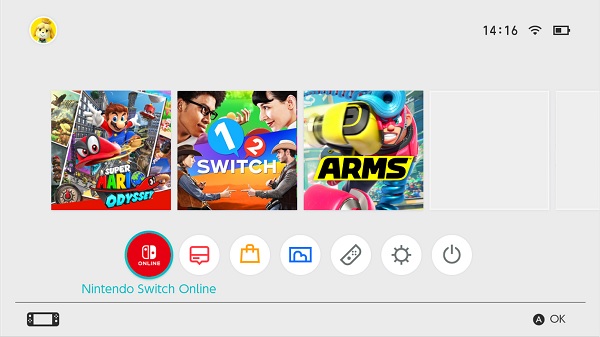
Step 1: Open Nintendo eShop
From the console’s home menu, select the Nintendo eShop icon and sign in with your Nintendo account.
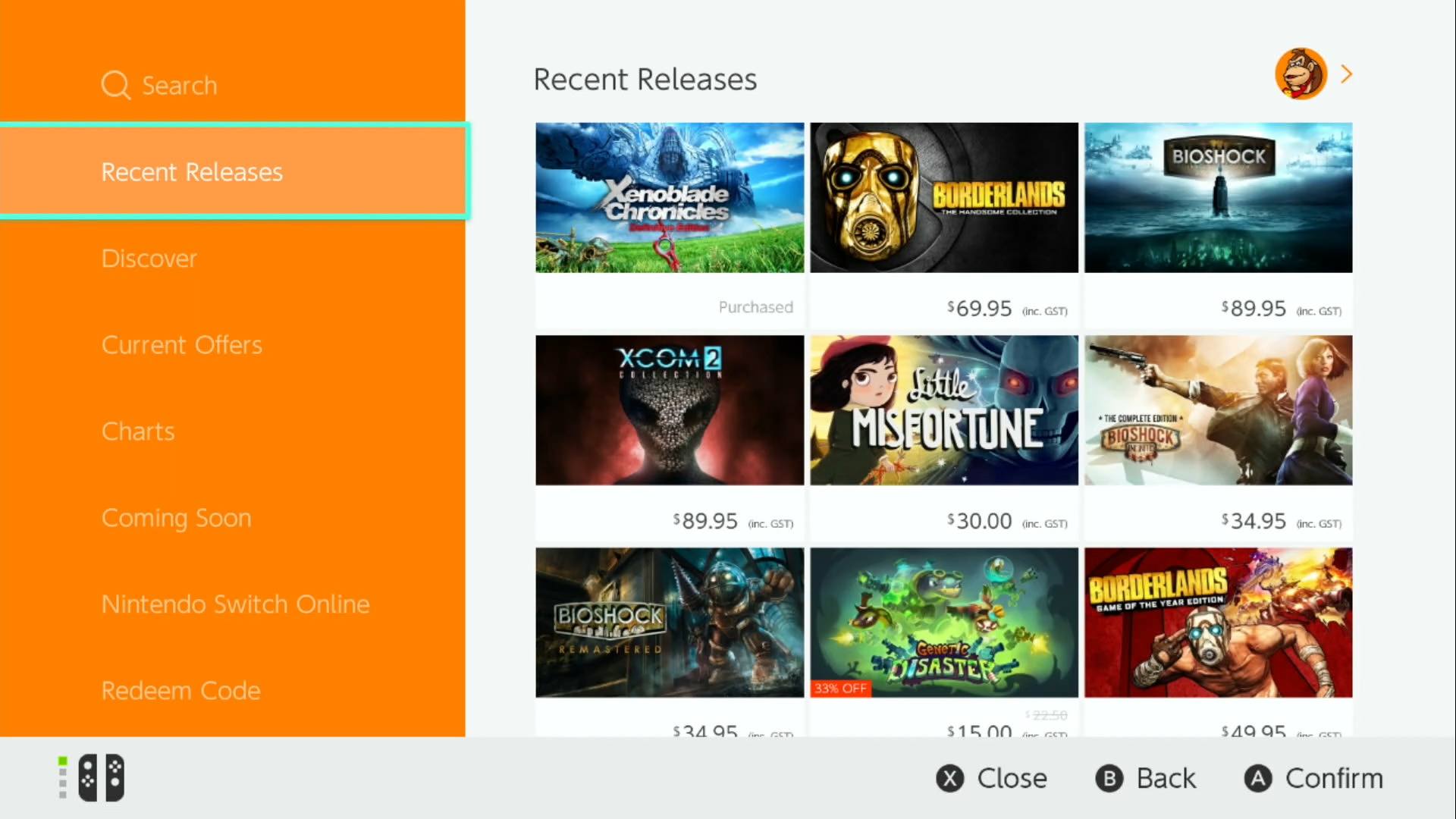
Step 2: Select “Redeem Code”
Inside the eShop, scroll through the left-hand menu and choose “Redeem Code”.


Step 3: Enter the Code
Enter the 16-character digital code exactly as provided (no spaces), then confirm.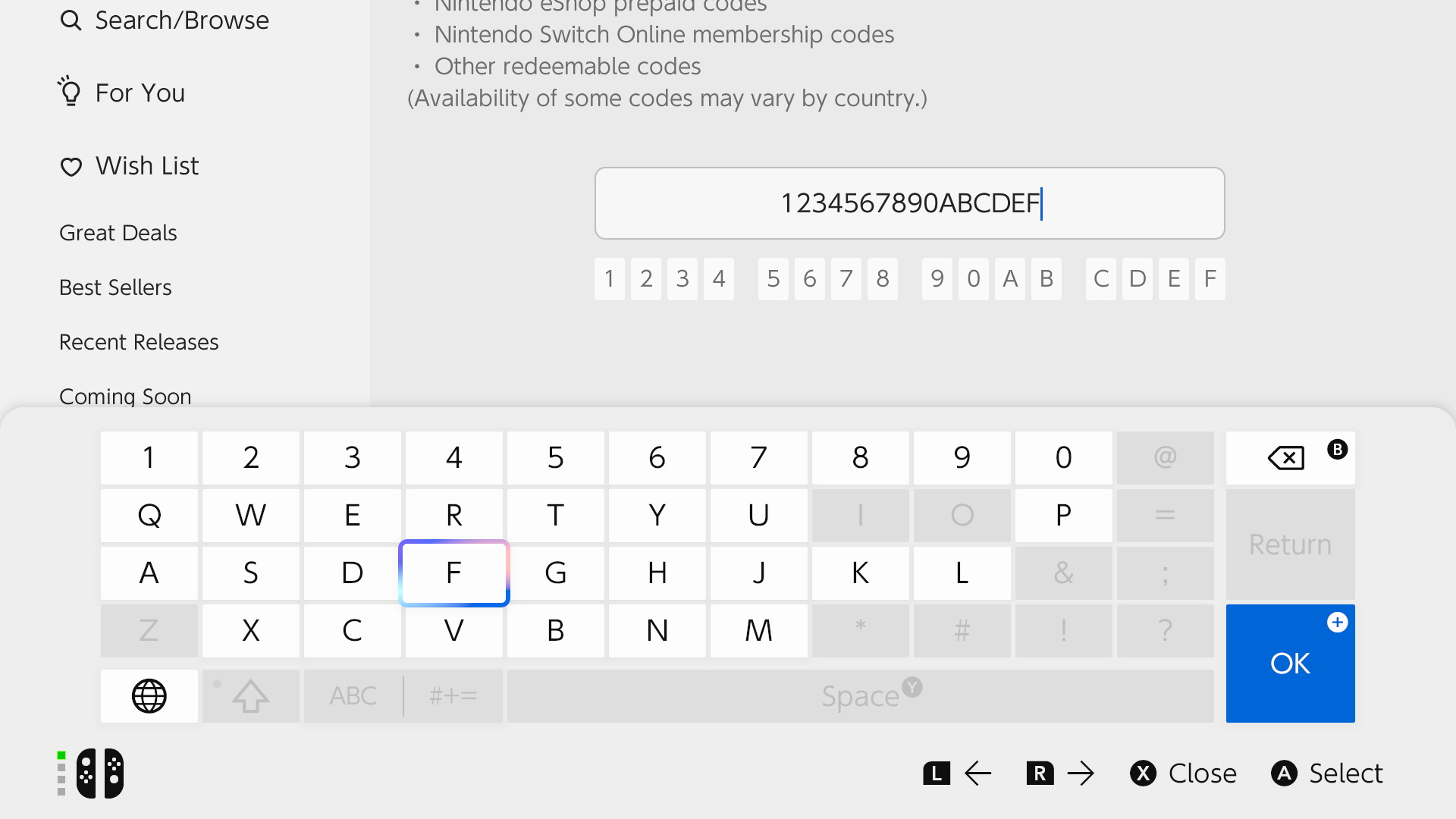

Step 4: Confirm the Content
The console will display the game, DLC, or subscription linked to the code. Check that everything is correct and confirm.
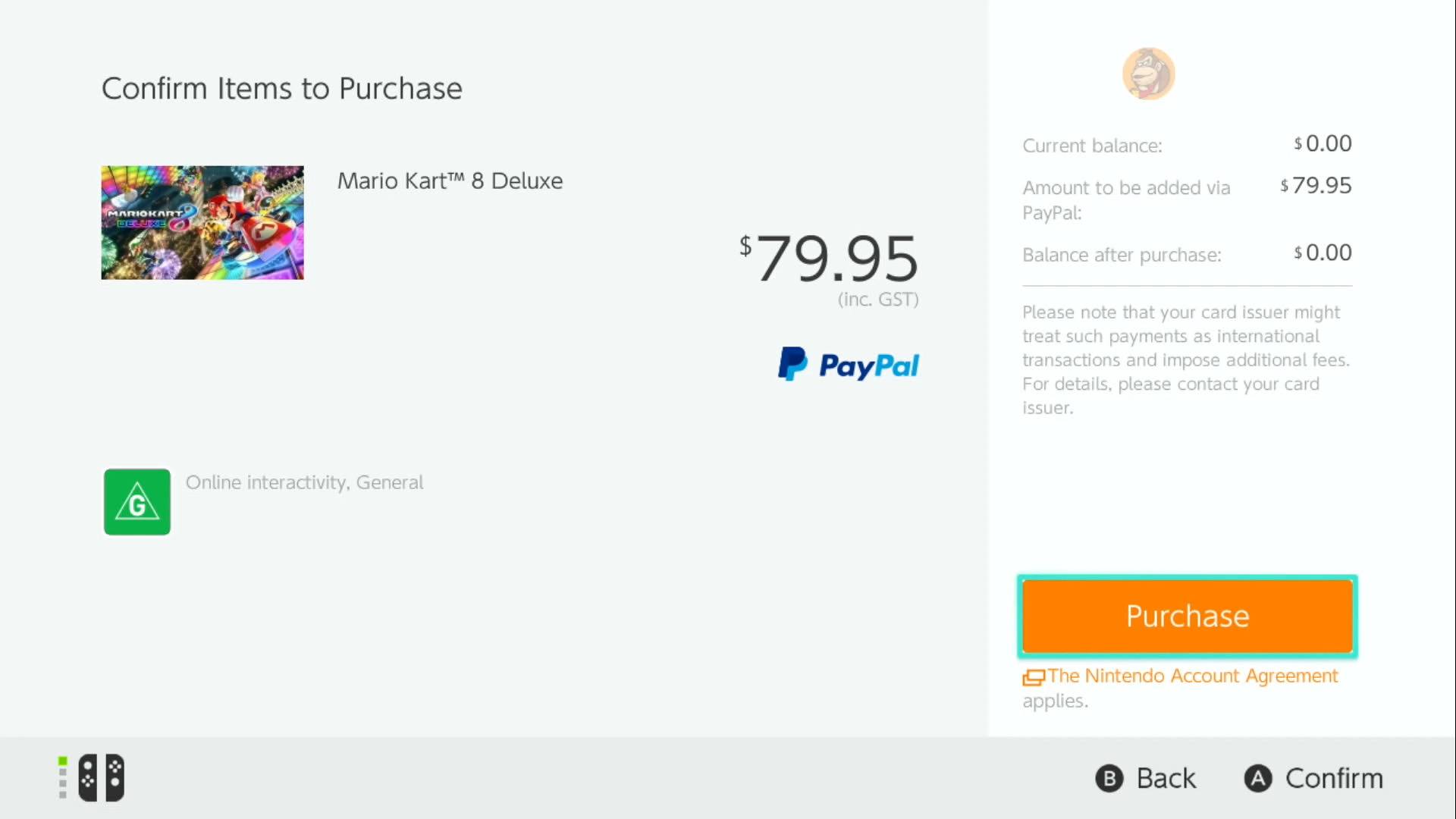

Step 5: Download and Play
Once redeemed, the content will be added to your library and the download will start automatically. When finished, you can play without entering the code again.
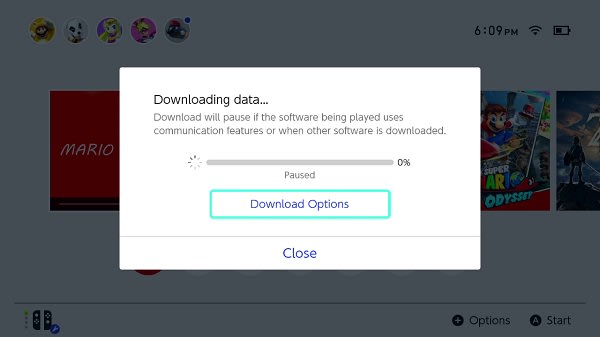
Is the Process the Same on Nintendo Switch 2?
Yes. Nintendo Switch 2 uses the same Nintendo eShop code redemption system as Nintendo Switch. The steps, requirements, and conditions are identical, so this guide applies to both consoles.
Common Errors When Redeeming Nintendo eShop Codes
If you encounter an error during redemption, check the following common issues:
- Invalid code: make sure the code was entered correctly.
- Code already used: each code can only be redeemed once.
- Region mismatch: some codes are restricted to specific regions.
- Wrong account: ensure you are using the correct Nintendo account.
Frequently Asked Questions About Nintendo eShop Codes
Are Nintendo eShop codes permanent?
Yes. Once redeemed, the content is permanently linked to your Nintendo account.
Can I use the same code on two consoles?
No. Each code can only be redeemed once, but you can access your games on any console where you sign in with your account.
Does the same code work on Switch and Switch 2?
Yes, as long as the game is compatible with both consoles and the code matches your account region.
What happens if I delete the game?
You can download it again from the eShop without re-entering the code.
Do I need a credit card to redeem a code?
No. Redeeming a code does not require adding any payment method.
Can I redeem codes from a web browser?
Yes. Codes can also be redeemed via Nintendo’s official website by logging into your account, although redeeming directly from the console is the most common method.
Nintendo eShop Gift Cards (US) and Nintendo Switch Online Subscriptions
In addition to game codes, Nintendo eShop also allows you to redeem Nintendo eShop Gift Cards to add balance to your account. These cards are region-locked, so it’s essential to buy the one that matches your Nintendo account country.If you use a US account, you can add balance with a Nintendo eShop Card United States, valid for Nintendo accounts registered in the United States.Once redeemed, the balance can be used to purchase digital games, DLCs, and additional content directly from the Nintendo eShop.Nintendo also offers Nintendo Switch Online, required for online play in many games and for accessing features such as cloud saves and classic game libraries. The most common options are:Both gift cards and subscriptions are redeemed in exactly the same way as a game code, following the steps explained in this guide.

GOCDKEYS Team
Buying guides and price comparisons written alongside live prices from the stores verified by GOCDKEYS.
Related articles
Activation guides