





Want to see more from Gocdkeys on Google?
You need to be signed in to your Google account.
The Nintendo Account format is often the cheapest way to play a Switch title: instead of a code to redeem in the eShop, you receive the credentials of a Nintendo Account that already includes the game. On Gocdkeys you will find these offers under the "Account with game" tab on each product page. Linking it to your console takes just a few minutes — here is how it works.
What you receive when you buy an account with game
After the purchase, the seller provides the email and password of a Nintendo Account with the game already in its library. Some sellers deliver the credentials instantly; others use a small redemption portal where you enter your order number, redeem code and email, and receive the account details shortly after. The game stays tied to that account, which is exactly why this format costs less.
Link the account on your Switch, step by step
1. Open the System Settings on your console
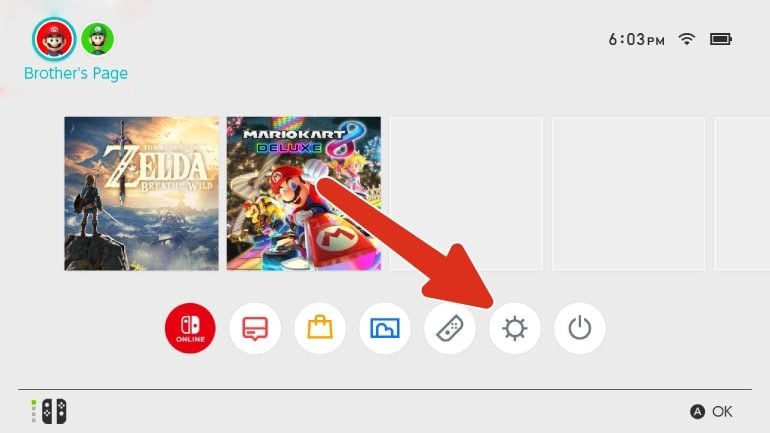
From the Switch home screen, select the System Settings icon (the gear) at the bottom.
2. Go to your profile and choose "Link Nintendo Account"
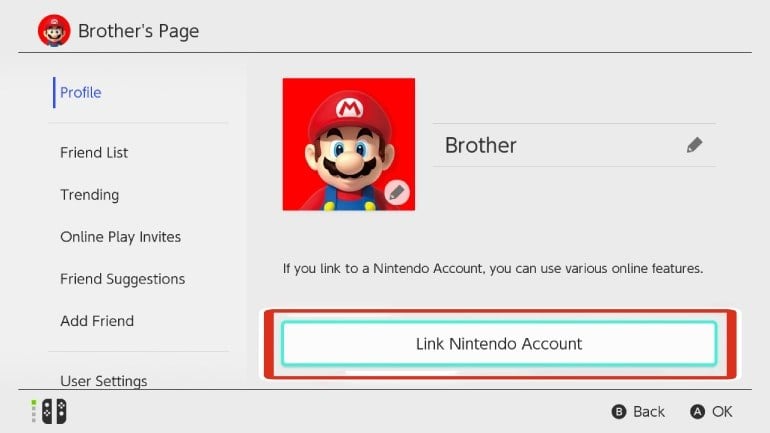
Open the user profile you play with and select "Link Nintendo Account". This is where the account you received will be connected to the console.
3. Sign in with the credentials you received
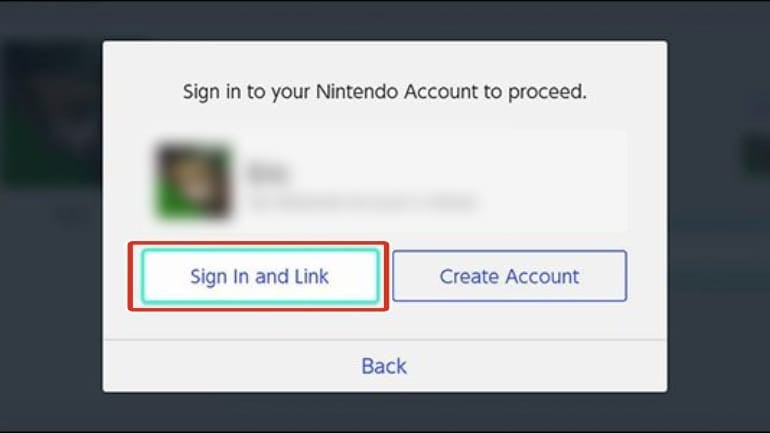
Choose "Sign In and Link" and enter the email and password provided by the seller. Once linked, you can download the game from the account's library and start playing.
If the seller uses a redemption portal (example: Pixelpuffin)
Some sellers do not send the credentials directly, but through a small redemption portal. This is, for example, how Pixelpuffin works — other sellers use a very similar flow:
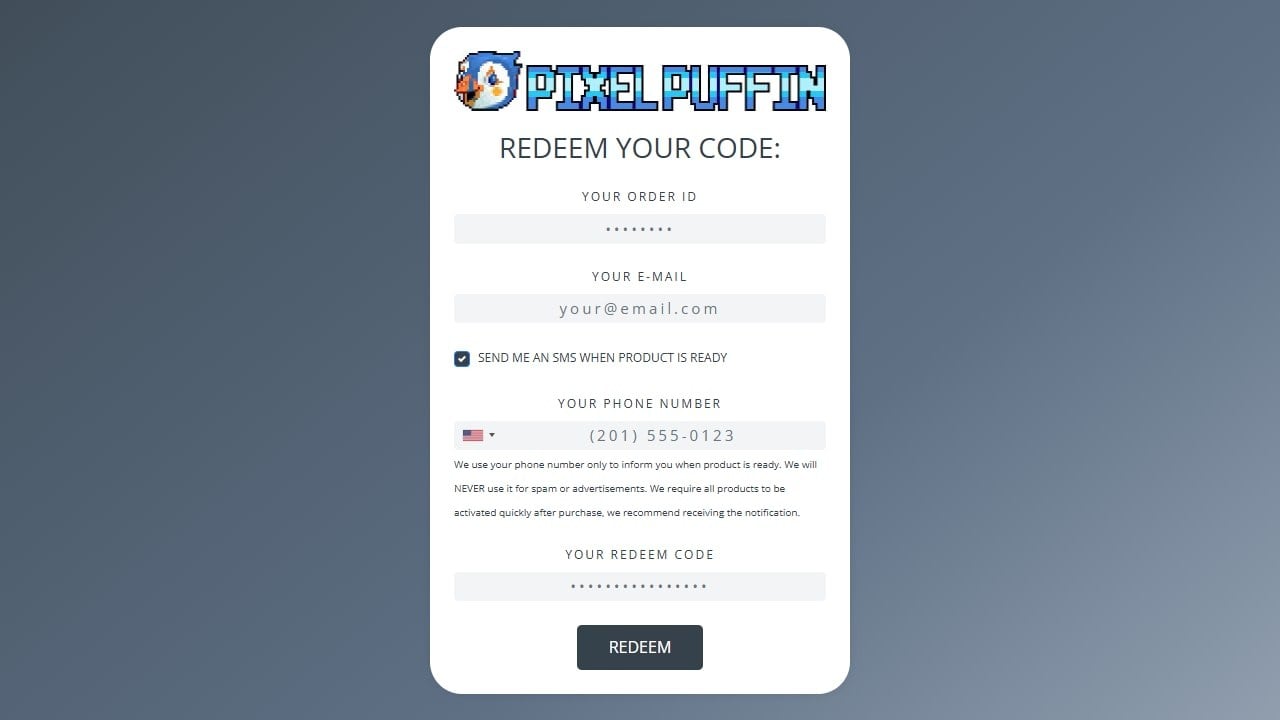
1. Redeem your code
Open the activation link you received after the purchase. Enter your order ID, your email and the redeem code (the phone number is optional, just to get an SMS when it is ready) and press REDEEM.
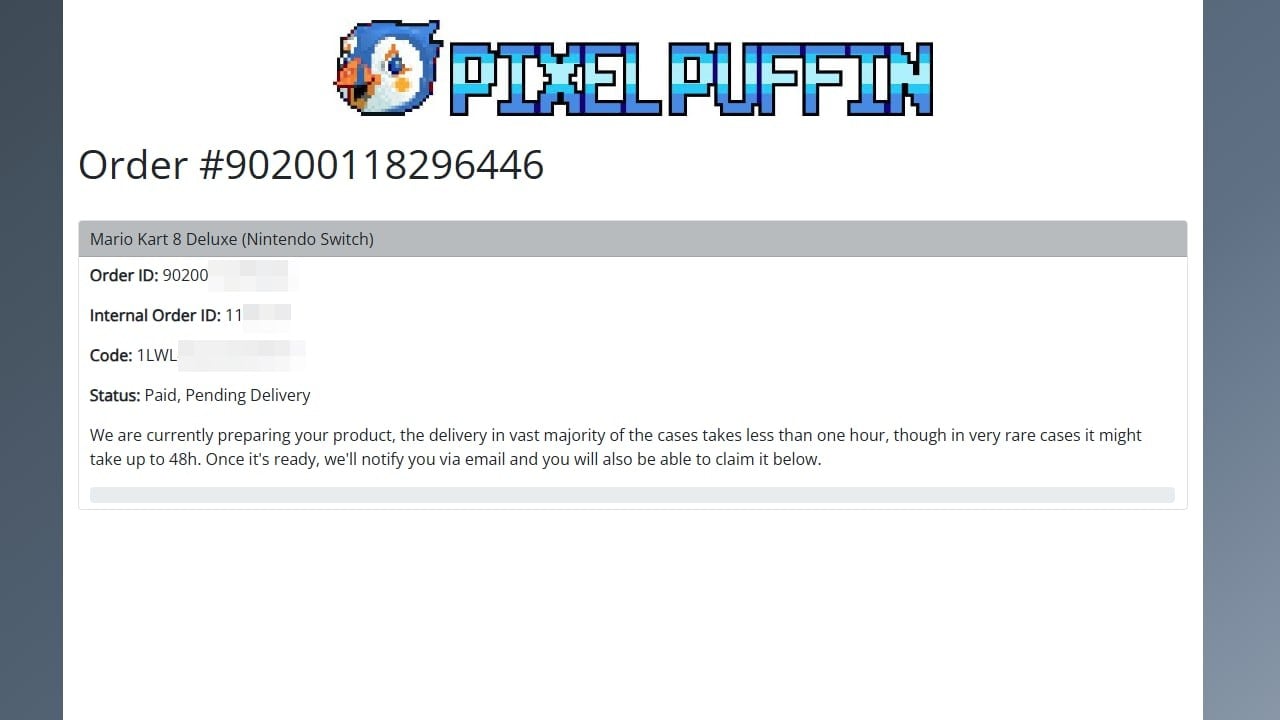
2. Wait for the delivery
You will see your order status as "Paid, Pending Delivery". Delivery usually takes less than an hour, and up to 48 hours in very rare cases. You will be notified by email when it is ready.
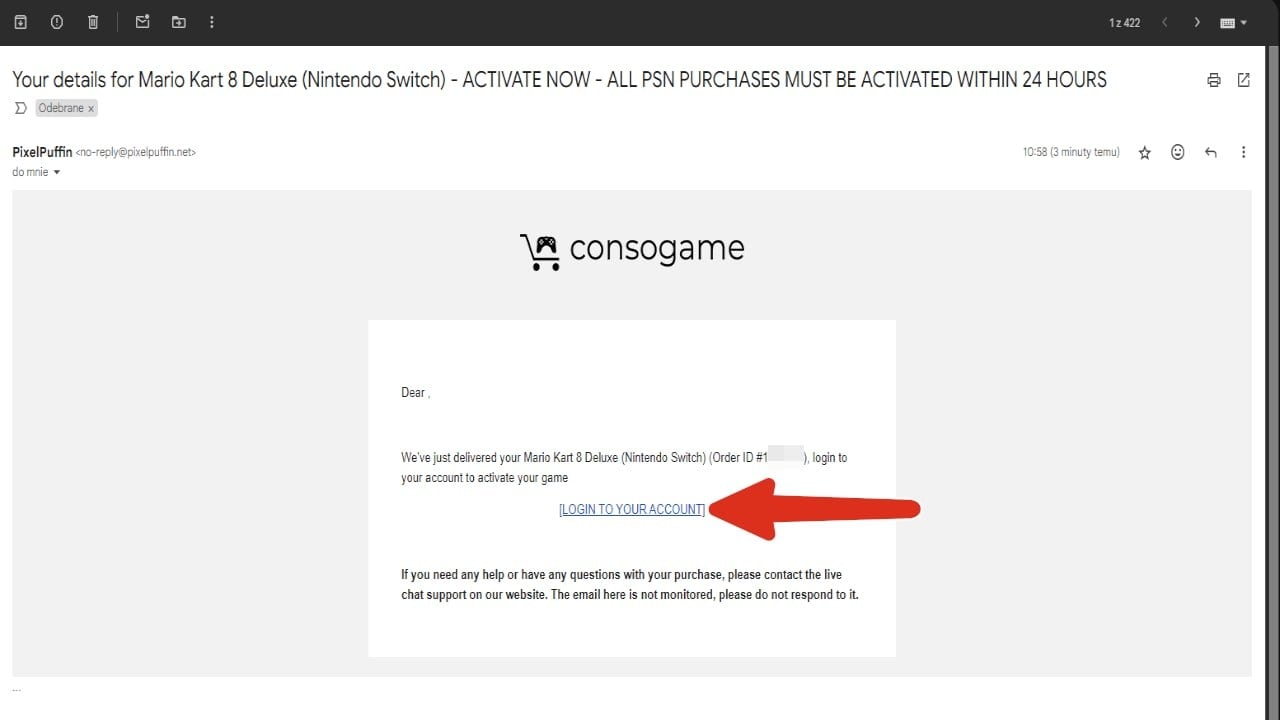
3. Open the activation email
When your account is ready you will receive an email. Click "LOGIN TO YOUR ACCOUNT" — and mind the deadline: these purchases must usually be activated within 24 hours.
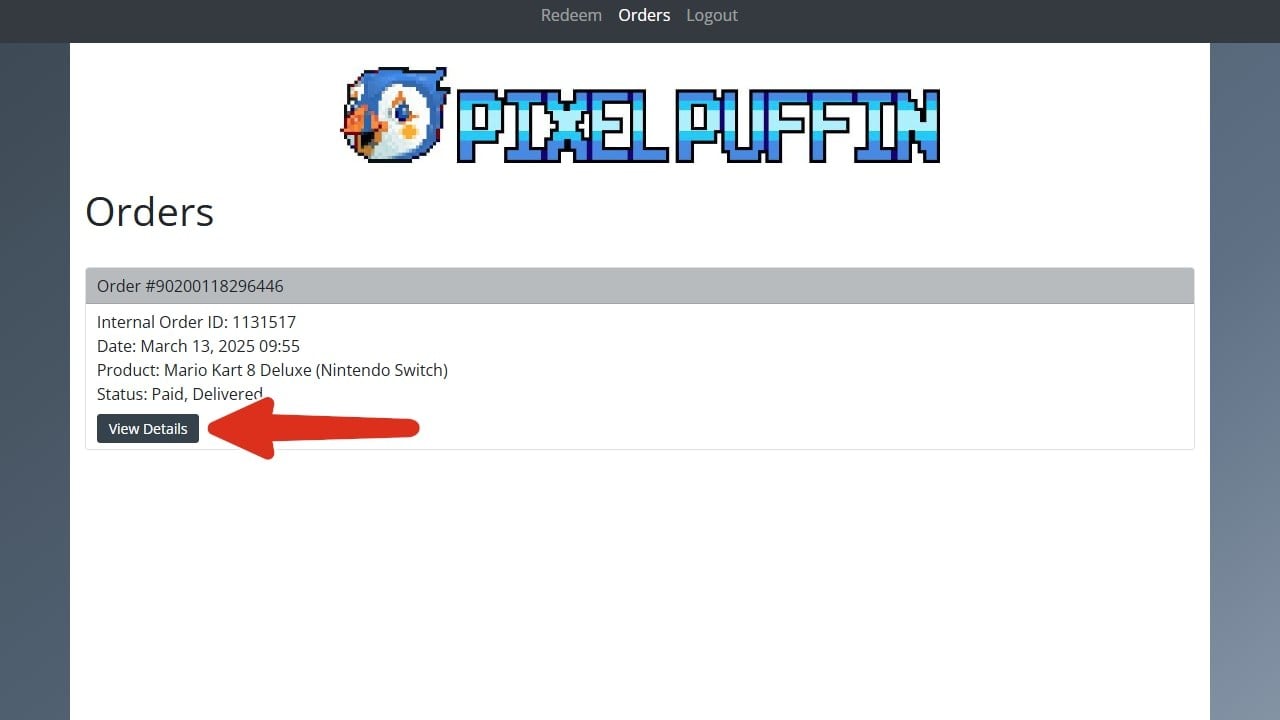
4. Open your order details
In the Orders section, press "View Details" on your order.
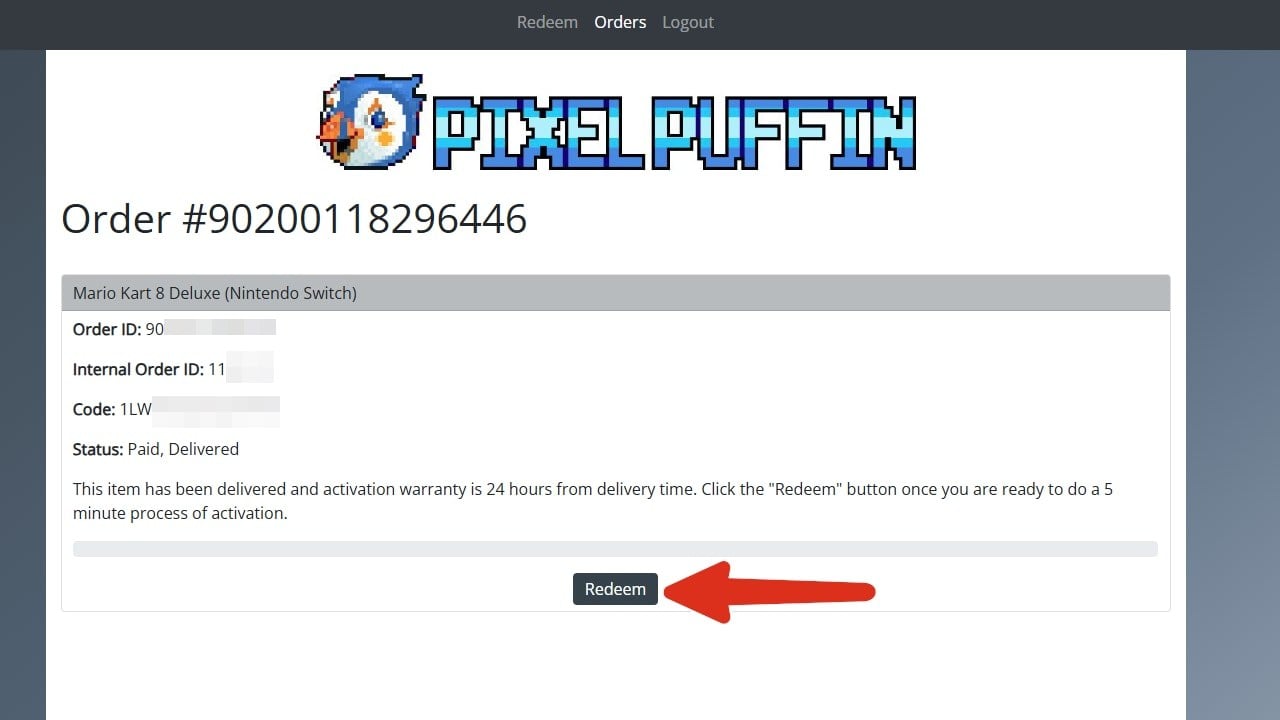
5. Press "Redeem" when you are ready
The activation warranty runs for 24 hours from delivery, and the process itself takes about 5 minutes. Press "Redeem" when you can complete it.
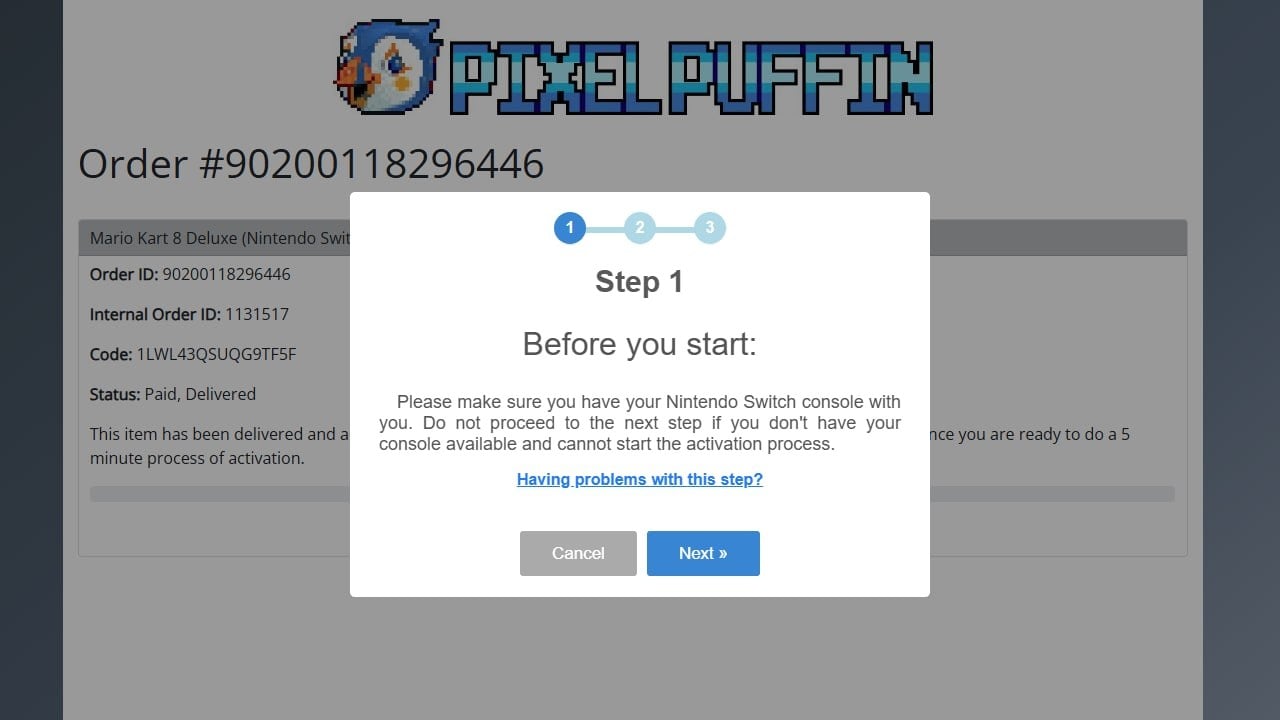
6. Follow the assistant
A short 3-step wizard guides you to your account credentials. Have your Switch console at hand before you start — you will need it to link the account as shown in the section above.
Good practices with your new account
- Follow the seller's instructions before changing any account data — some sellers require the account to stay unmodified for the warranty to apply.
- Store the credentials somewhere safe.
- Keep the purchase receipt and the order number until you have verified everything works.
Frequently asked questions
Is the game added to my personal Nintendo Account?
No. The game belongs to the account you receive, which you link to a profile on your console. That is why this format is noticeably cheaper.
Can I play online?
Yes, as long as you have an active Nintendo Switch Online subscription, like with any other game.
How long does delivery take?
Many sellers deliver instantly. If a redemption portal is involved, it usually takes around an hour, and up to 48 hours in exceptional cases.
What if the credentials do not work?
Contact the seller's support through the store where you bought the account. Marketplaces offer buyer protection for these cases — keep your order number at hand.
Source: G2A

Buying guides and price comparisons written alongside live prices from the stores verified by GOCDKEYS.

 Italiano
 English
 Español
 Português
 Deutsch
 Français