





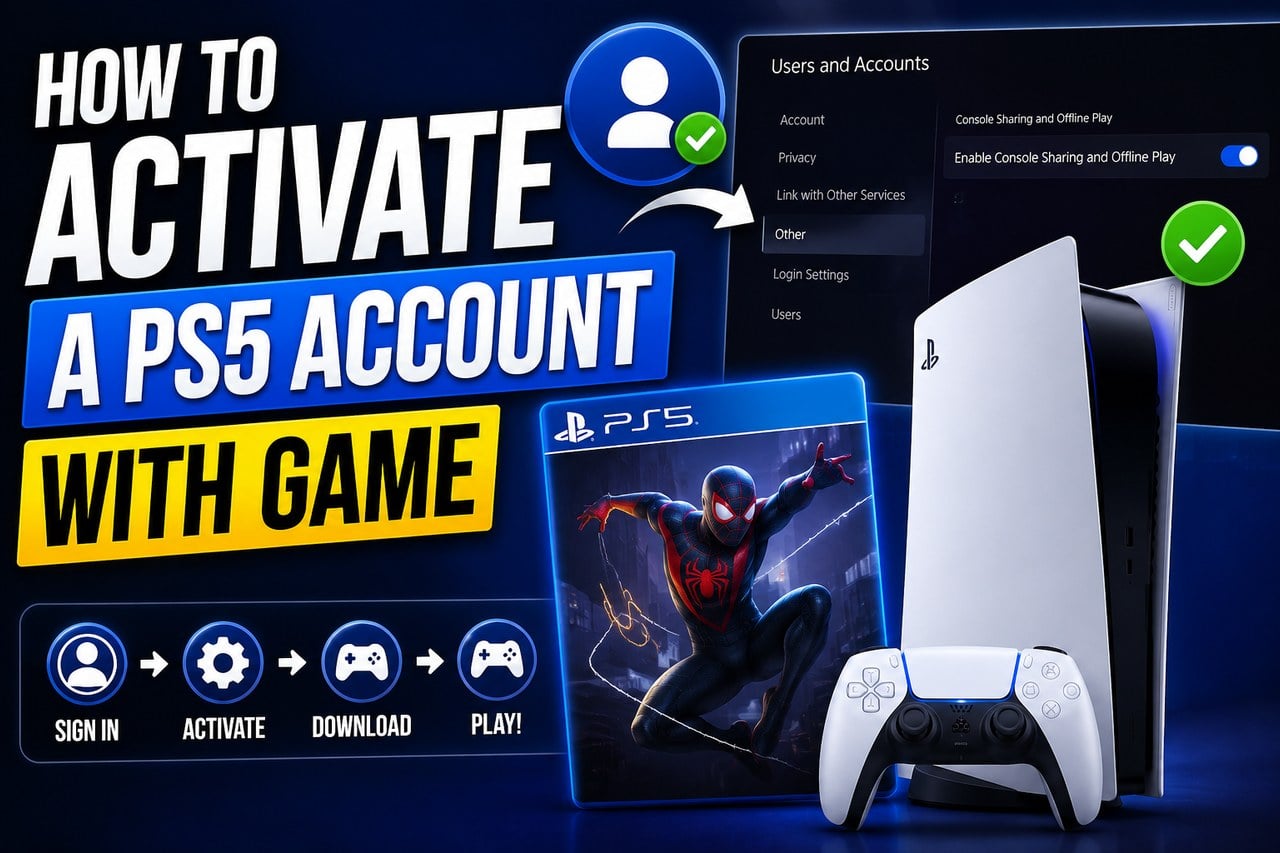
Want to see more from Gocdkeys on Google?
You need to be signed in to your Google account.
The PSN Account format is often the cheapest way to play a PS5 title: instead of a code to redeem, you receive the credentials of a PlayStation account that already includes the game. On Gocdkeys you will find these offers under the "Account with game" tab on each product page. Setting it up takes a few minutes and, once done, you can play from your own profile with your own progress.
What you receive when you buy an account with game
After the purchase, the seller provides the email and password of a PSN account with the game already in its library. You will add that account to your console, activate console sharing, and from then on any user on your PS5 — including your personal profile — can play the game.
Activation on your PS5, step by step
1. Add the account to your console and sign in
Create a new user on your PS5 (not a one-time guest) and sign in with the credentials the seller gave you.
2. Open the console Settings
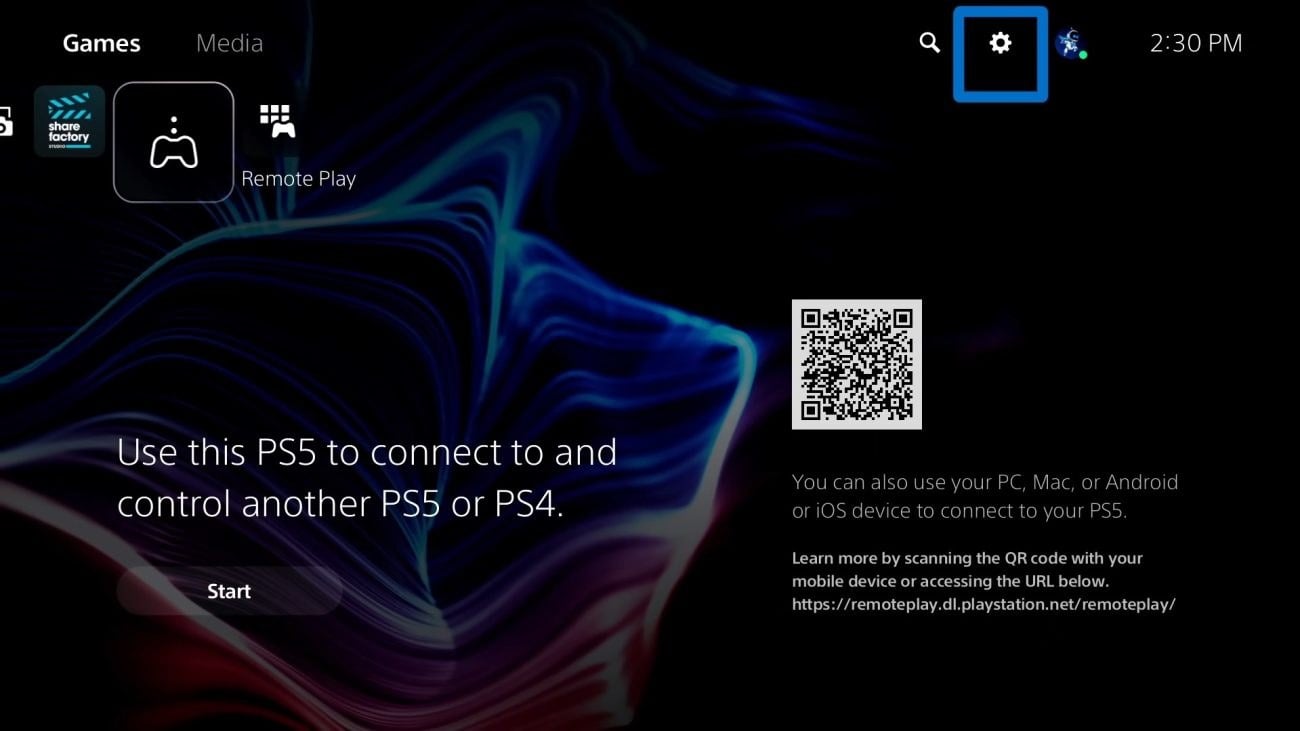
While logged in with the purchased account, select the gear icon in the top-right corner of the home screen.
3. Go to Users and Accounts
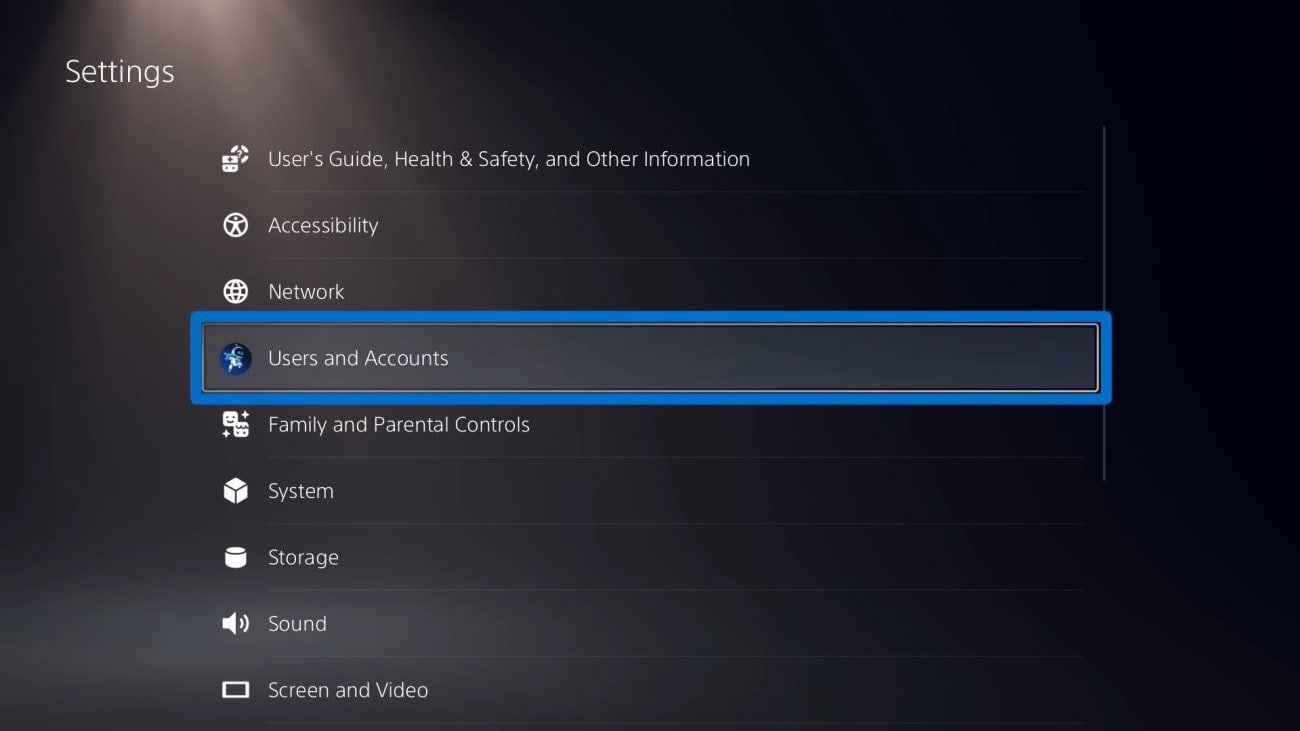
In the Settings menu, open Users and Accounts.
4. Open the "Other" section
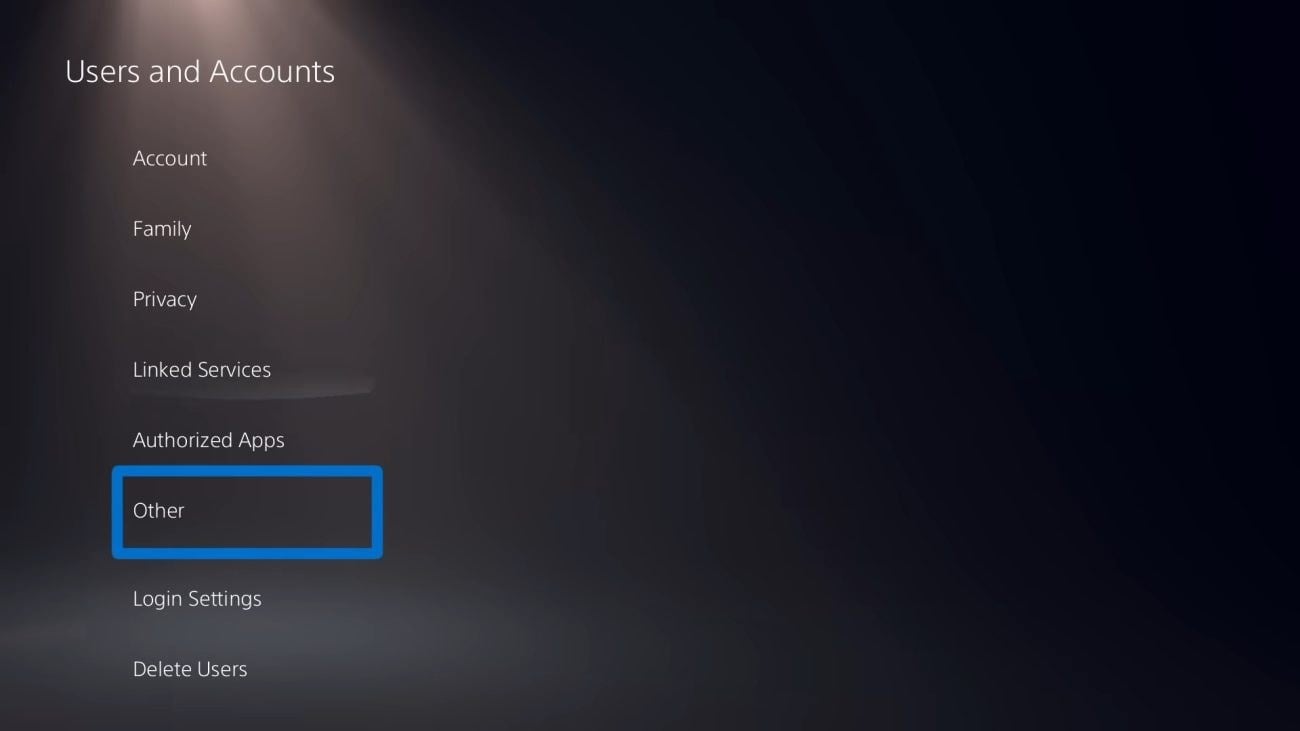
Inside Users and Accounts, select Other in the left-hand menu.
5. Select "Console Sharing and Offline Play"
This is the key step: it makes this PS5 the account's primary console, so its games can be played by every user on it.
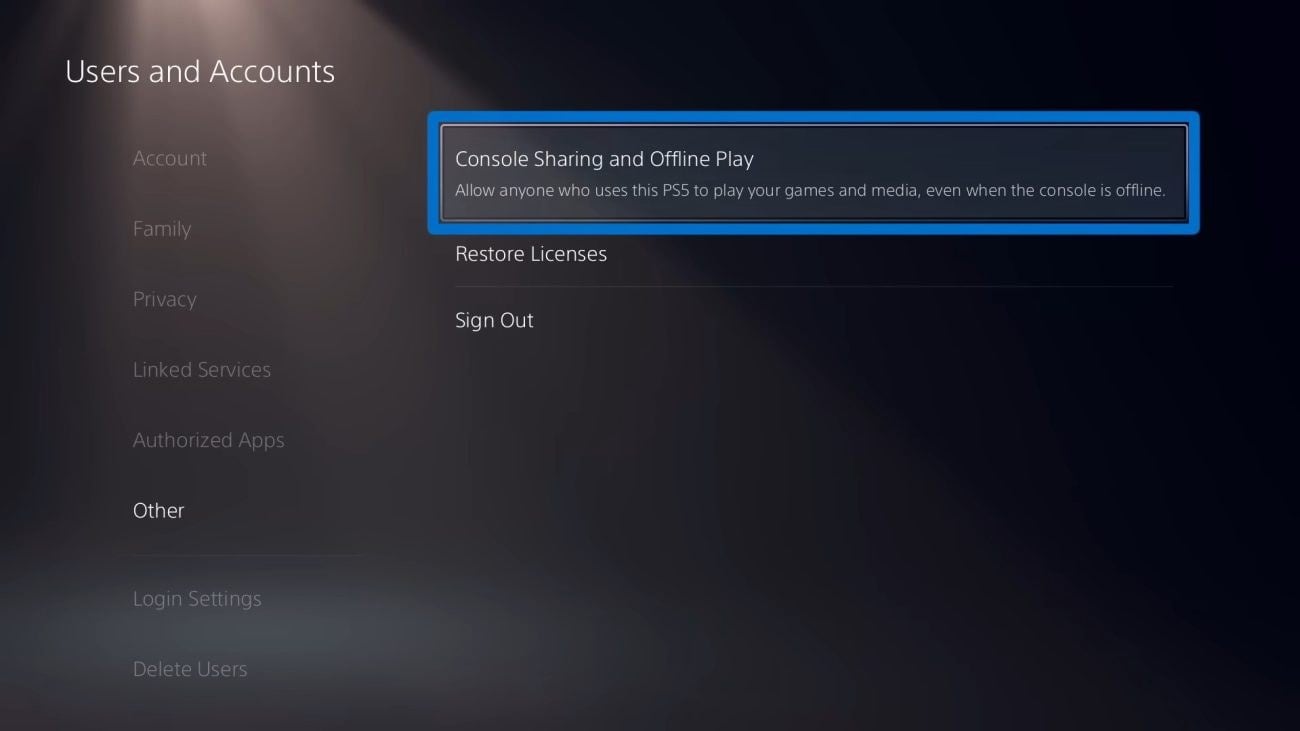
6. Press Enable and confirm
Select Enable. When you see the message "You've enabled Console Sharing and Offline Play on this PS5", you are done.
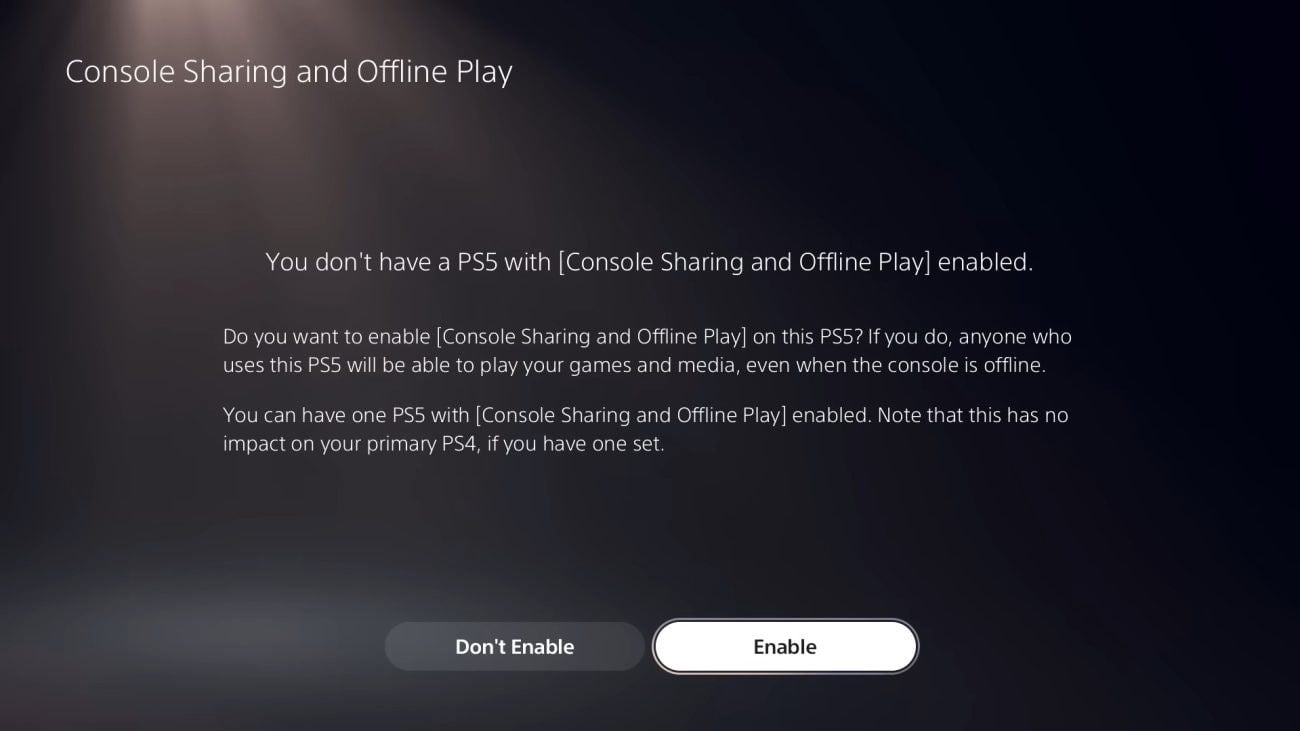
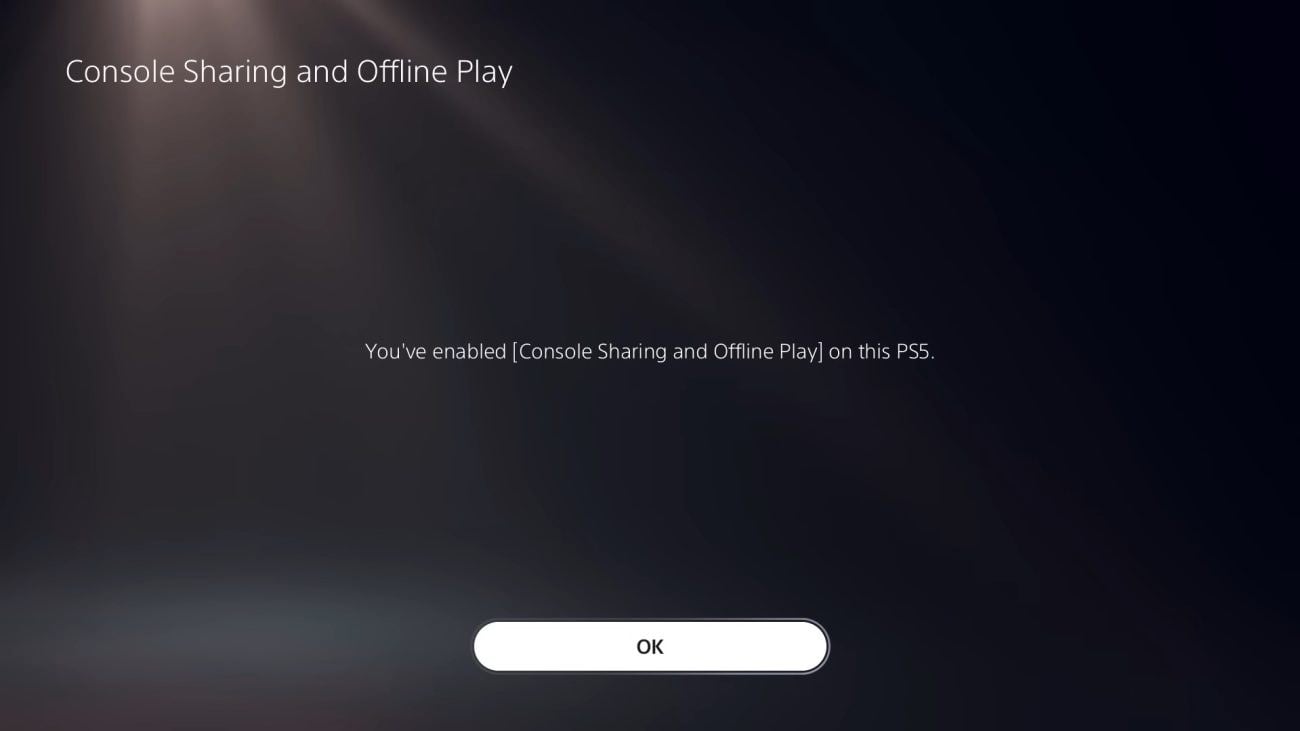
7. Download the game and play from your own profile
Download the game from the purchased account's library, then switch back to your personal profile to play. Your progress and trophies will be saved on your own account. On PS4 the equivalent path is Settings > Account Management > Activate as Your Primary PS4.
Very important: do not delete or deactivate the account
- Use the account only as a way of accessing the game — not as your main account.
- Do not delete or deactivate the account: the game would be locked and no longer playable.
- The account can be activated on one PS5 only.
- Formatting the console, changing it or swapping its storage may lock the game.
- Before buying DLC, season passes or in-game currency on that account, check with the seller — the warranty usually covers only the game.
Frequently asked questions
Can I play with my own profile and keep my progress?
Yes. Once console sharing is enabled, any user on that PS5 can play the game, and your progress and trophies are saved on your personal account.
Can I play online?
Yes. For multiplayer you need an active PlayStation Plus subscription, as with any game.
On how many consoles can I activate the account?
On one PS5 only. Activating it on a second console is not covered and may void the seller's warranty.
What if the credentials do not work?
Contact the seller's support through the store where you bought the account. Marketplaces offer buyer protection for these cases — keep your order number at hand.

Buying guides and price comparisons written alongside live prices from the stores verified by GOCDKEYS.

 Italiano
 English
 Español
 Português
 Deutsch
 Français