


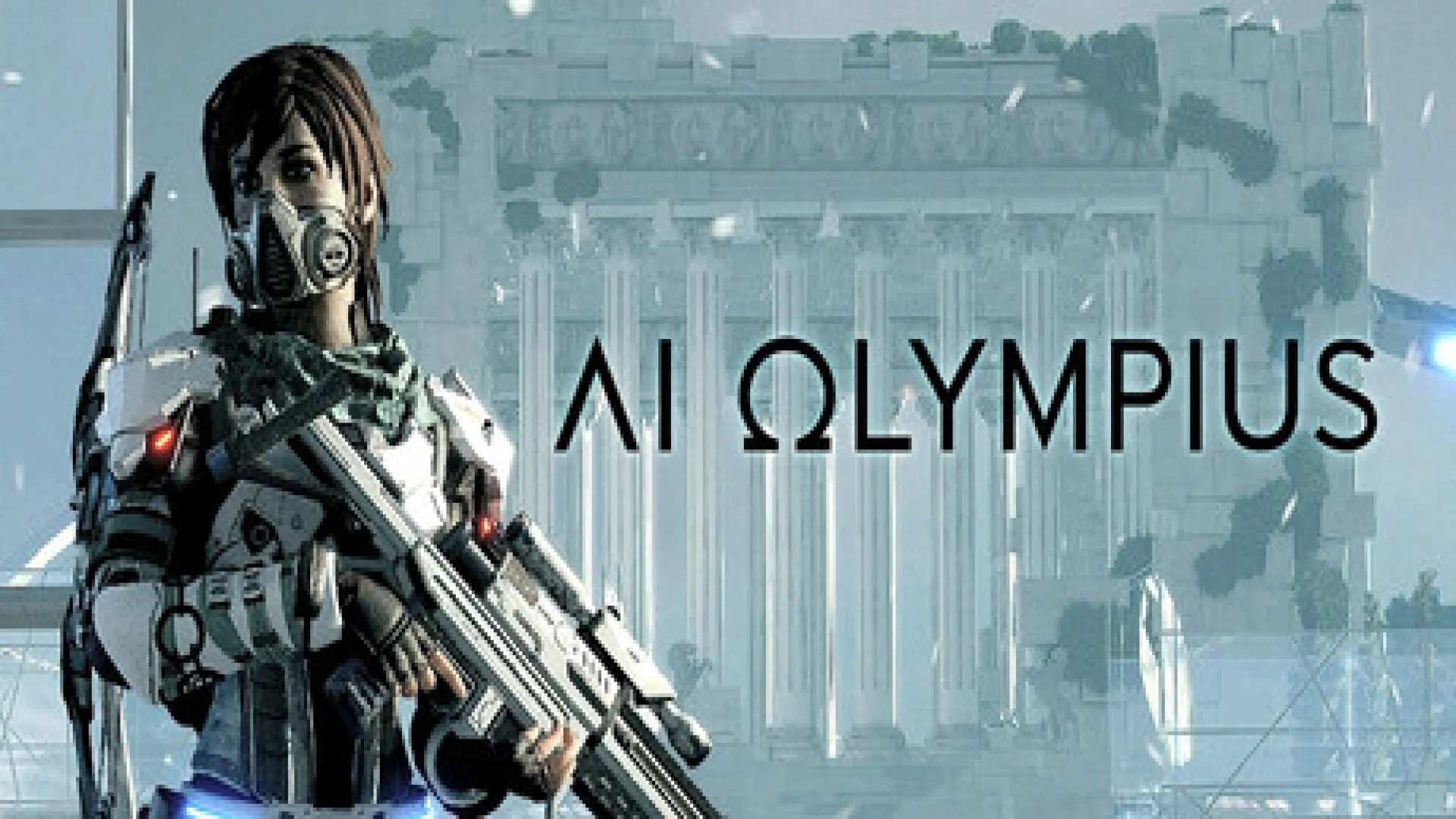
AI Olympius: PC system requirements & FPS
Does AI Olympius run on your PC, and at how many FPS? Pick your card: the answer is measured, not estimated.
- 33graphics cards measured
- 31processors
Will AI Olympius run on your PC?
Pick your graphics card and you get the verdict and the FPS measured on this game. We remember your card for the next game you check.
AI Olympius official PC requirements
What the studio publishes. The tags update with the card you picked above.
Minimum
- OS64-bit Windows 10 / 11
- Processor4 core / 8 threads | Intel Core i7-7700 | Ryzen 5 1400
- Memory4 GB RAM
- Graphics8GB VRAM | GTX 1650 | Radeon RX 580
- DirectXVersion 11
- Storage5 GB available space
Recommended
- OS64-bit Windows 10 / 11
- Processor4 core / 8 threads | Intel Core i7-7700 | Ryzen 5 1400
- Memory8 GB RAM
- Graphics8GB VRAM | RTX2070 | RX 6700 XT
- DirectXVersion 11
- NetworkBroadband Internet connection
- Storage5 GB available space
A pair like "RX 6700 XT / RTX 2080" means either of the two: the bar is set by the lower one.
Want to buy AI Olympius now?
If your setup runs it, this is the price: the best of 2 deals across 2 verified stores. Check all prices for AI Olympius on all platforms →
Final prices with fees
 Copied!
AI Olympius FPS by graphics card
Real benchmarks at Max quality, no upscaling. Your card is highlighted in the table.
| Graphics card | 1080p | 1440p | 4K | Best at 60 FPS | Price from |
|---|---|---|---|---|---|
| RX 7900 XTX 24 GB | 183–221 | 116–146 | 57–81 | 4K on Max | 2.064 €approx. |
| RTX 4090 24 GB | 181–206 | 137–166 | 72–98 | 4K on Max | — |
| RX 7900 XT 20 GB | 163–197 | 101–127 | 47–66 | 1440p on Max | 868 €approx. |
| RTX 4080 SUPER 16 GB | 147–185 | 106–138 | 56–78 | 4K on Max | — |
| RTX 4080 16 GB | 145–183 | 105–137 | 56–78 | 4K on Max | 1.984 €approx. |
| RX 7900 GRE 16 GB | 145–175 | 87–109 | 40–56 | 1440p on Max | — |
| RX 6950 XT 16 GB | 130–165 | 83–106 | 38–51 | 1440p on Max | — |
| RTX 4070 Ti SUPER 16 GB | 131–165 | 92–120 | 48–67 | 1440p on Max | — |
| RX 7800 XT 16 GB | 132–160 | 80–100 | 37–51 | 1440p on Max | — |
| RTX 4070 Ti 12 GB | 123–157 | 88–113 | 42–59 | 1440p on Max | — |
| RX 6900 XT 16 GB | 120–153 | 76–97 | 34–46 | 1440p on Max | 887–1.778 €approx. |
| RX 6800 XT 16 GB | 115–147 | 73–93 | 32–43 | 1440p on Max | 895–1.118 €approx. |
| RTX 4070 SUPER 12 GB | 114–146 | 81–104 | 38–54 | 1440p on Max | — |
| RTX 3080 Ti 12 GB | 114–134 | 77–101 | 37–57 | 1440p on Max | 1.619–2.746 €approx. |
| RX 6800 16 GB | 103–132 | 65–82 | 28–38 | 1440p on Max | — |
| RTX 4070 12 GB | 103–132 | 73–94 | 32–45 | 1440p on Max | — |
| RTX 3080 12 GB | 111–130 | 75–98 | 36–55 | 1440p on Max | 1.243–1.579 €approx. |
| RTX 3080 10 GB | 106–125 | 71–93 | 33–51 | 1440p on Max | 1.243–1.579 €approx. |
| RTX 2080 Ti 11 GB | 83–110 | 52–74 | 22–36 | 1440p on Max | — |
| RTX 3070 Ti 8 GB | 82–108 | 55–77 | 25–37 | 1440p on Max | 889–1.336 €approx. |
| RX 6750 XT 12 GB | 79–103 | 47–65 | 20–28 | 1080p on Max | — |
| RTX 3070 8 GB | 78–102 | 52–72 | 23–35 | 1440p on Max | 556–1.234 €approx. |
| RX 6700 XT 12 GB | 73–95 | 43–60 | 18–26 | 1080p on Max | 958 €approx. |
| RTX 3060 Ti 8 GB | 68–89 | 45–63 | 20–30 | 1080p on Max | 427–957 €approx. |
| RTX 2080 SUPER 8 GB | 61–86 | 38–57 | 17–29 | 1080p on Max | 1.096 €approx. |
| RTX 2080 8 GB | 59–83 | 36–54 | 16–27 | 1080p on Max | — |
| RTX 2070 SUPER 8 GB | 55–78 | 33–51 | 15–25 | 1080p on Max | — |
| RX 6650 XT 8 GB | 61–77 | 35–46 | 15–21 | 1080p on Max | — |
| RX 6600 XT 8 GB | 58–73 | 33–44 | 14–20 | 1080p on Max | 625–785 €approx. |
| RTX 3060 12 GB | 55–71 | 32–48 | 18–24 | 1080p on Max | 433–732 €approx. |
| RTX 2070 8 GB | 49–69 | 29–44 | 13–22 | 1080p one step down | — |
| RTX 2060 SUPER 8 GB | 47–66 | 28–43 | 12–21 | 1080p one step down | 379 €approx. |
| RX 6600 8 GB | 52–65 | 28–37 | 12–17 | 1080p one step down | 447 €approx. |
← Swipe the table for the other columns →
Green 60+ · Amber 30–60 · Red below 30. All at Max quality and with no upscaling.
Of the 33 cards tested, 30 clear 60 FPS at 1080p, 21 hold 60 at 1440p and only 4 keep them at 4K. What really decides whether you need a new card is the resolution you play at, not the game.
What do you gain by lowering quality in AI Olympius?
From Max: to High +42% · to Medium +70% · to Low +117%
⚠️ Approximate: nobody has measured the preset ladder on AI Olympius, so these are the median gains across the 20 games where it has been measured. The FPS in the tables above are measured on this game; only this step-down is borrowed.
One step yes, two no: coming down from Max, not every card gains the same, and that spread is what widens the range in the calculator above. If your card sits ten or fifteen FPS short of 60, the first step gets you there; if you are thirty short, not even lowering everything gets you comfortable.
Does your processor hold AI Olympius back?
What "holding you back" means
In a game the graphics card draws the frames and the processor prepares them. If the processor cannot prepare as many as the card could draw, your FPS stop at whatever the processor delivers no matter how good the card is: that is a bottleneck.
This table measures it by isolating the variable: every processor with the same card, an RTX 5090, so the limit you see is its own and not the card's. That figure is its ceiling: however good the card you pair it with, it goes no higher.
The second column turns that ceiling into the only thing you have to decide: how far up the range it is worth going. It is the fastest card — of those measured on this same game — that your processor still feeds. Go above it and the FPS stop rising: the processor sets them.
In practice: if the card you are thinking of buying sits below the one in your row, the money is well spent on the card. If it sits above, start with the processor.
⚠️ This holds at 1080p, which is how they were measured. At 1440p and 4K the card works harder, FPS drop and the processor stops calling the shots: the higher the resolution, the less this table matters.
| Processor | Ceiling at 1080p | How far up the range it pays off |
|---|---|---|
| AMD Ryzen 7 7800X3D 4.2 GHz | 171–204 | Any |
| Intel Core i9 14900K 3.2 GHz | 150–183 | up to a RX 7900 XT 20 GB |
| Intel Core i9 13900K 4.3 GHz | 145–177 | up to a RTX 4080 SUPER 16 GB |
| Intel Core i9 14700K 3.5 GHz | 138–168 | up to a RTX 4080 SUPER 16 GB |
| Intel Core i7 13700K 3.4 GHz | 135–165 | up to a RTX 4080 16 GB |
| AMD Ryzen 9 9950X 4.3 GHz | 130–159 | up to a RTX 4070 Ti SUPER 16 GB |
| Intel Core i9 12900K 3.2 GHz | 122–149 | up to a RTX 4070 Ti SUPER 16 GB |
| AMD Ryzen 9 7950X 4.5 GHz | 118–147 | up to a RX 7800 XT 16 GB |
| AMD Ryzen 7 7700X 4.5 GHz | 117–146 | up to a RX 7800 XT 16 GB |
| Intel Core i5 12600K 3.7 GHz | 117–143 | up to a RTX 4070 Ti 12 GB |
| AMD Ryzen 5 7600X 4.7 GHz | 116–146 | up to a RX 7800 XT 16 GB |
| Intel Core i5 13400 3.3 GHz | 112–137 | up to a RX 6900 XT 16 GB |
| AMD Ryzen 9 5900X 3.7 GHz | 108–133 | up to a RX 6800 XT 16 GB |
| AMD Ryzen 7 5700X 3.4 GHz | 107–132 | up to a RX 6800 XT 16 GB |
| AMD Ryzen 5 5600X 3.7 GHz | 106–132 | up to a RX 6800 XT 16 GB |
| AMD Ryzen 7 8700G 4.2 GHz | 105–131 | up to a RX 6800 XT 16 GB |
| AMD Ryzen 5 8600G 4.3 GHz | 103–131 | up to a RX 6800 XT 16 GB |
| Intel Core i9 11900K 3.5 GHz | 103–129 | up to a RTX 3080 Ti 12 GB |
| Intel Core i5 12400 2.4 GHz | 102–124 | up to a RTX 3080 Ti 12 GB |
| Intel Core i5 11600K 3.9 GHz | 99–124 | up to a RTX 3080 Ti 12 GB |
| Intel Core i3 13100 3.4 GHz | 97–123 | up to a RTX 3080 12 GB |
| Intel Core i9 10900K 3.7 GHz | 94–119 | up to a RX 6800 16 GB |
| Intel Core i3 12100 3.3 GHz | 94–118 | up to a RX 6800 16 GB |
| Intel Core i7 10700K 3.8 GHz | 92–115 | up to a RTX 2080 Ti 11 GB |
| Intel Core i5 10600K 4.1 GHz | 87–109 | up to a RTX 2080 Ti 11 GB |
| AMD Ryzen 9 3900X 3.8 GHz | 87–103 | up to a RTX 2080 Ti 11 GB |
| AMD Ryzen 7 3700X 3.6 GHz | 86–102 | up to a RTX 2080 Ti 11 GB |
| AMD Ryzen 5 3600X 3.8 GHz | 84–102 | up to a RTX 2080 Ti 11 GB |
| AMD Ryzen 3 3300 3.8 GHz | 78–96 | up to a RTX 3070 Ti 8 GB |
| AMD Ryzen 3 3100 3.6 GHz | 72–89 | up to a RX 6700 XT 12 GB |
| Intel Core i3 10100 3.6 GHz | 71–84 | up to a RX 6700 XT 12 GB |
← Swipe the table →
Of the 31 processors tested, 1 keep up with a RX 7900 XTX 24 GB, which is the fastest card we have tested on this game. The rest are not "bad": it is that past a certain card they stop giving you more. So what matters is not a yes or a no, but where your ceiling sits — and unless you are coming from an eight-year-old quad core, on this game that ceiling is well above the card most people have installed.
AI Olympius: VRAM and CPU cores
How much VRAM it asks for
Measured peak of 5,7 GB at 1080p. With 8 GB you have room; with 6 GB you are tight.
How many cores it uses
Measured from 1 to 12 cores. The jump is between 4 and 6; past 8 it barely changes.
With a 5,7 GB peak, AI Olympius fits comfortably on any 8 GB card and runs tight on 6 GB ones. And it uses up to 12 cores: a modern processor with that many is as well served as a sixteen-core one.
Check another game with the same card
The newest releases with measured FPS. Your card stays selected.
Upscaling in AI Olympius: DLSS, FSR and XeSS
They render the game at a lower resolution and rebuild the image. It is the single biggest gain there is, and the only one that does not force you to lower graphics quality.
In Quality mode. The best-looking of the three. At 4K the gain is bigger; at 1080p, smaller and with more loss of sharpness.
The universal option. A step behind DLSS in image quality, mostly on moving foliage, but it works on cards where DLSS does not exist.
Performs best on Arc, where it uses dedicated units. It works on NVIDIA and AMD, but FSR is usually the better pick there.
The tables above are all without upscaling, so these gains add on top of them.
Upscaling is the only lever that gives you FPS without touching visual quality, and that is why it is the first one to try: before turning shadows down, switch DLSS or FSR to Quality mode. The rule is simple: the higher the resolution, the more it gives and the less you notice it. At 4K it can save your session; at 1080p it gains little and the image loses sharpness.
Tips for your card's brand in AI Olympius
- Resizable BAR on in the BIOS. On boards from 2020 onwards it ships disabled more often than it should.
- Low latency mode to "Ultra" in the NVIDIA panel: it gives no FPS, but it removes the feeling of lag.
- Don't force antialiasing from the control panel. The in-game one is cheaper, and forcing it costs 10-15% without you noticing.
- Smart Access Memory on if your board and processor support it. It is free and worth several FPS.
- Radeon Anti-Lag yes; Radeon Boost no, if the game has slow motion or wide vistas: it lowers resolution in motion and it shows.
- Radeon Chill off while you measure: it caps your FPS and looks like a problem with the game.
- The driver is the number one factor. Arc has gained performance through drivers like no other card: one six months old can cost you 20%.
- Resizable BAR is mandatory, not optional: without it an Arc performs far below what it should.
- Close the overlays (Steam, Discord, GeForce Experience): they are the most common cause of micro-stutter.
- On a laptop, plugged in and in performance mode. On battery you can lose half your FPS.
- Borderless window if fullscreen stutters on Windows 11.
Almost everything above is free and done once: Resizable BAR and Smart Access Memory ship disabled on many boards and are free FPS. If you own an Arc, updating the driver is literally the best investment you can make without spending a cent.
Which card to buy for AI Olympius
Only cards measured on this game that average 60 FPS at 1080p, cheapest first. A card that cannot move AI Olympius has no place on this list.
1080p Max, measured.
1080p Max, measured.
1080p Max, measured.
Stuttering in AI Olympius: how to fix it
1 · Shader compilation
Stutter in the first few minutes after updating the game or the drivers is normal. It sorts itself out.
2 · Turn off overlays
Steam, Discord and GeForce Experience overlays cause micro-stutter.
3 · The SSD is not optional
The studio lists it as required. On a mechanical drive, stutter while areas load is not fixed by any setting.
AI Olympius requirements FAQ
What are the minimum requirements for AI Olympius?
With a 8GB VRAM | GTX 1650 | Radeon RX 580 and 4 GB of RAM you are in. Minimum specs are exactly that: the setup where the game starts and is playable, usually at 1080p with quality turned down — not the one that gives you a comfortable experience. The full table is above.
And the recommended requirements for AI Olympius? How do they differ?
The recommended specs ask for a 8GB VRAM | RTX2070 | RX 6700 XT. The minimum guarantees the game works; the recommended one, that it looks and moves the way the studio designed it, around 60 FPS at 1080p on high quality. If you land between the two, the game runs: you will have to turn a setting down.
What card do I need to play AI Olympius at 60 FPS?
At 1080p on the highest quality, the most modest one that reaches 60 of all we have tested is a RTX 3060 12 GB. To hold that at 1440p you need to step up to a RTX 3070 8 GB. And at 4K, a RTX 4080 16 GB. Drop one quality step and any of those figures eases off.
How many FPS does AI Olympius get with a RTX 4070 12 GB?
103–132 FPS at 1080p on the highest quality. At 1440p, 73–94. At 4K, 32–45. That is a real measurement with that same card, not a calculation. For any other, use the calculator at the top.
What if my card is not in the table?
The calculator places it between the two nearest measured cards and gives you the range it falls into on AI Olympius. You will not see an invented exact number: you will see between which values it sits and whether it is enough. If your card falls outside everything tested, we say so rather than making a figure up.
How many FPS are enough?
It depends on the game, and AI Olympius is no exception. 30 is the playable floor in a slow-paced game, and you can feel it is tight. 60 is the sensible target: the image responds and does not tire you out. Past 120 it only pays off with a monitor faster than 60 Hz. And steadiness matters more than the average: a constant 50 FPS plays better than swinging between 40 and 90.
How much RAM and video memory does AI Olympius need?
The game asks for 4 GB of RAM. On video memory, the peak measured at 1080p is 5,7 GB: with an 8 GB card you have room, with a 6 GB one you are tight, especially if you push textures. Being short on RAM does not lower your average FPS so much as it causes stutter while areas load.
Will the processor hold me back in AI Olympius?
Of the 31 tested, 1 keep up with the fastest card we have measured. In this game the processor is rarely the brake from a recent generation onwards. Pick yours in the calculator and we tell you, with your specific card, whether it caps you and by how much.
How many FPS do I gain by lowering quality in AI Olympius?
Dropping to High gives +42%, Dropping to Medium gives +70%, Dropping to Low gives +117%. As a rule, the first step is the one that pays off most: it gets you close to 60 with barely any visible change. If you are thirty FPS short, not even lowering everything gets you comfortable — the problem is somewhere else.
Do DLSS and FSR raise FPS in AI Olympius?
Between 20% and 35% more, depending on mode and resolution, without touching graphics quality: it is the first lever to try, before turning shadows down. The higher the resolution, the more it gives and the less you notice it; at 1080p it gains little and the image loses some sharpness.
Where is AI Olympius cheapest?
We compare 2 deals across 2 verified stores and take you to the cheapest of the day. See all AI Olympius deals →

 Italiano
 English
 Español
 Português
 Deutsch
 Français