





Key facts
- Cheapest right now
- € Professional · Official Key · Global · Keys4us
- Live offers
- 43 offers · 17 stores
Want to see more from Gocdkeys on Google?
You need to be signed in to your Google account.
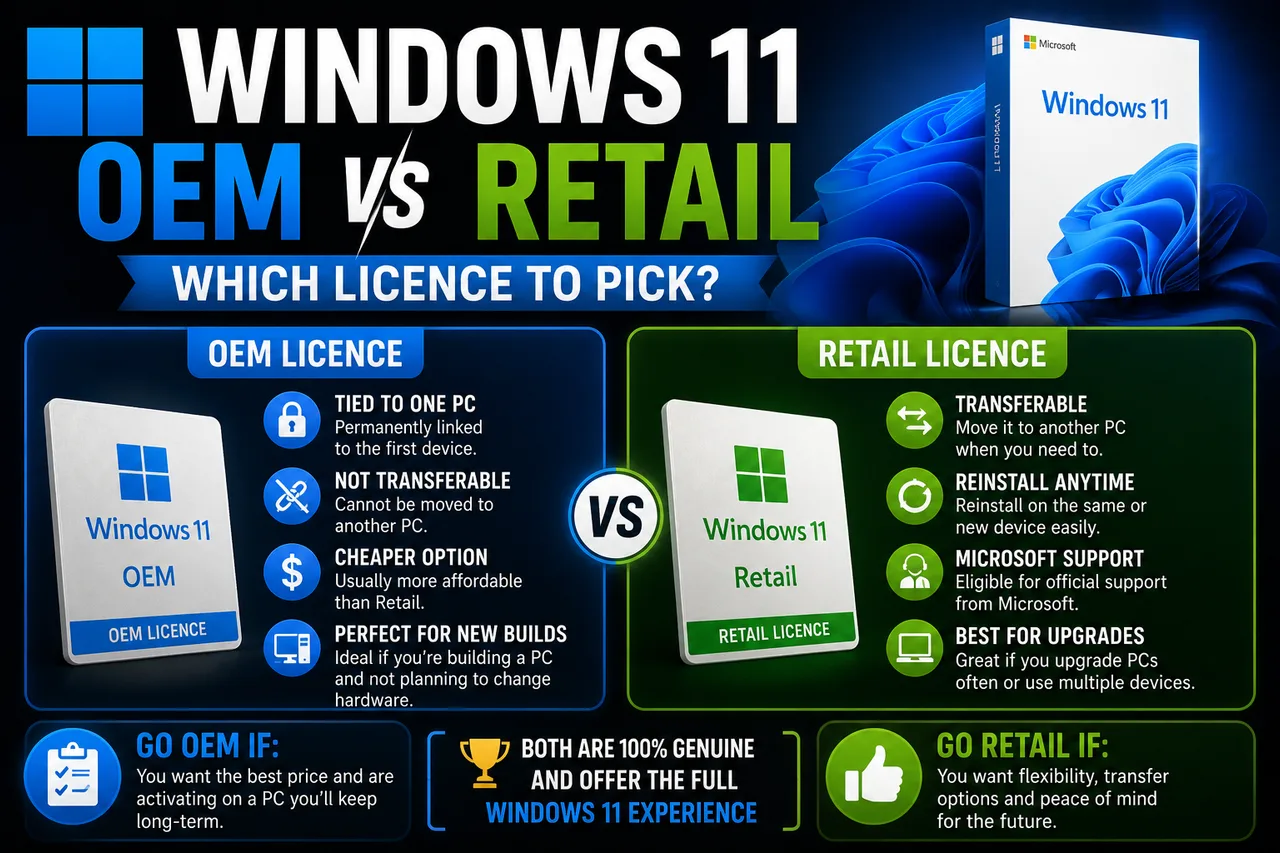
The short answer fits in two lines: if the computer is going to stay the same machine until it dies, an OEM licence will do; if you plan to swap parts or carry the licence to another build, you need a Retail one. The rest of this guide is the why, because on a Windows 11 listing both download the same installer and boot the same desktop.
OEM and Retail: the difference is who owns the licence
An OEM licence is born tied to the machine where it is first activated. It is the one pre-installed on laptops and branded desktops: Microsoft treats it as part of that hardware, which is why it sells for less. A Retail licence is sold on its own, links to your Microsoft account and can be released from one machine to be activated on another. That portability is exactly what the extra money buys.
| OEM | Retail | |
|---|---|---|
| What it is tied to | The machine it is first activated on | Your Microsoft account |
| Moving it to another PC | Not provided for | Yes, by releasing the old machine |
| Who supports it | The device manufacturer | Microsoft |
| Usual price | The lowest on the listing | Above the OEM |
| Who it suits | A PC you will not rebuild part by part | Anyone who builds, upgrades or swaps machines |
Do you have to pay if the machine already ran Windows 10?
The upgrade from an activated Windows 10 install is still free through Windows Update or the installation assistant: the digital licence carries over and there is nothing to type in. You only need to buy a licence in three cases: a clean install on a machine with no prior licence, a newly built PC, or moving up an edition (Home to Pro, say) to unlock features your current edition does not carry.
Before paying, check what you already have: in Settings, under System and then Activation, you will see whether the machine holds a digital licence and which edition it runs. If it says Windows is activated, a second licence buys you nothing.
Swapping the motherboard means, to Microsoft, a new computer
This is where the difference stops being theoretical. To Microsoft, a new motherboard means a new computer. A Retail licence linked to your account can be reactivated on the new build through the activation troubleshooter, by declaring a hardware change. An OEM one stayed with the old machine and will normally refuse to activate again. If you upgrade parts regularly, Retail pays for itself the first time.


What do the labels on each offer mean?
Every line on the listing carries a short label. It is a more reliable clue than the seller title:
- Home Retail — the home edition in Retail form, the one that travels between machines.
- Professional — the Pro edition, with drive encryption, incoming remote desktop and domain management.
- OEM key — tied to the first machine it activates on. That, not a discount, is why it is the cheapest.
- Upgrade to PRO — installs nothing: it lifts an already activated machine from Home to Pro.
- Enterprise — built for volume licensing inside a company; outside that context it tends to fail activation.
- Pro N Ed. — the European N variant, identical except that it ships without the media apps (they can be added later).
If your doubt is which edition you need rather than which licence type, our guide to the versions of Windows 11 breaks it down.
The use case decides, not the price tag
- A laptop or mini-PC you will keep until it retires: OEM does the job and is the sensible call.
- A tower you plan to keep upgrading: Retail, no hesitation. The first new motherboard already pays the gap.
- Coming from an activated Windows 10: buy nothing, upgrade.
- You need encryption or remote desktop: Pro, and if the machine is already activated on Home, the edition-upgrade label costs less than a full licence.
With the licence type settled, comparing is a matter of reading one label. You can buy Windows 11 key after checking whether what you pay for stays on that computer or follows you to the next one.

Buying guides and price comparisons written alongside live prices from the stores verified by GOCDKEYS.

 Italiano
 English
 Español
 Português
 Deutsch
 Français