


0°
 10
GocdkeysLV 10Staff

Windows 11 is Microsoft’s latest operating system and, although the core system is the same, there are several versions and license types that can cause…
Windows 11 is Microsoft’s latest operating system and, although the core system is the same, there are several versions and license types that can cause confusion before purchasing. In this guide, we explain all available Windows 11 versions, their real differences, and which one best suits your needs.Are all Windows 11 versions the same product?
Yes. All Windows 11 licenses provide access to the same core operating system and receive official Microsoft updates.The differences between versions lie in the included features, the target user profile, and the type of license. Choosing the right version ensures compatibility, long-term usability, and better value for money.
Windows 11 Home



Key features
- Modern and intuitive interface
- Windows Hello support
- Microsoft Store access
- Built-in security features
- Ideal for personal use, study, and entertainment
Who is it for?
- Home users
- Personal laptops and desktop PCs
- Gaming and daily tasks
Windows 11 Pro

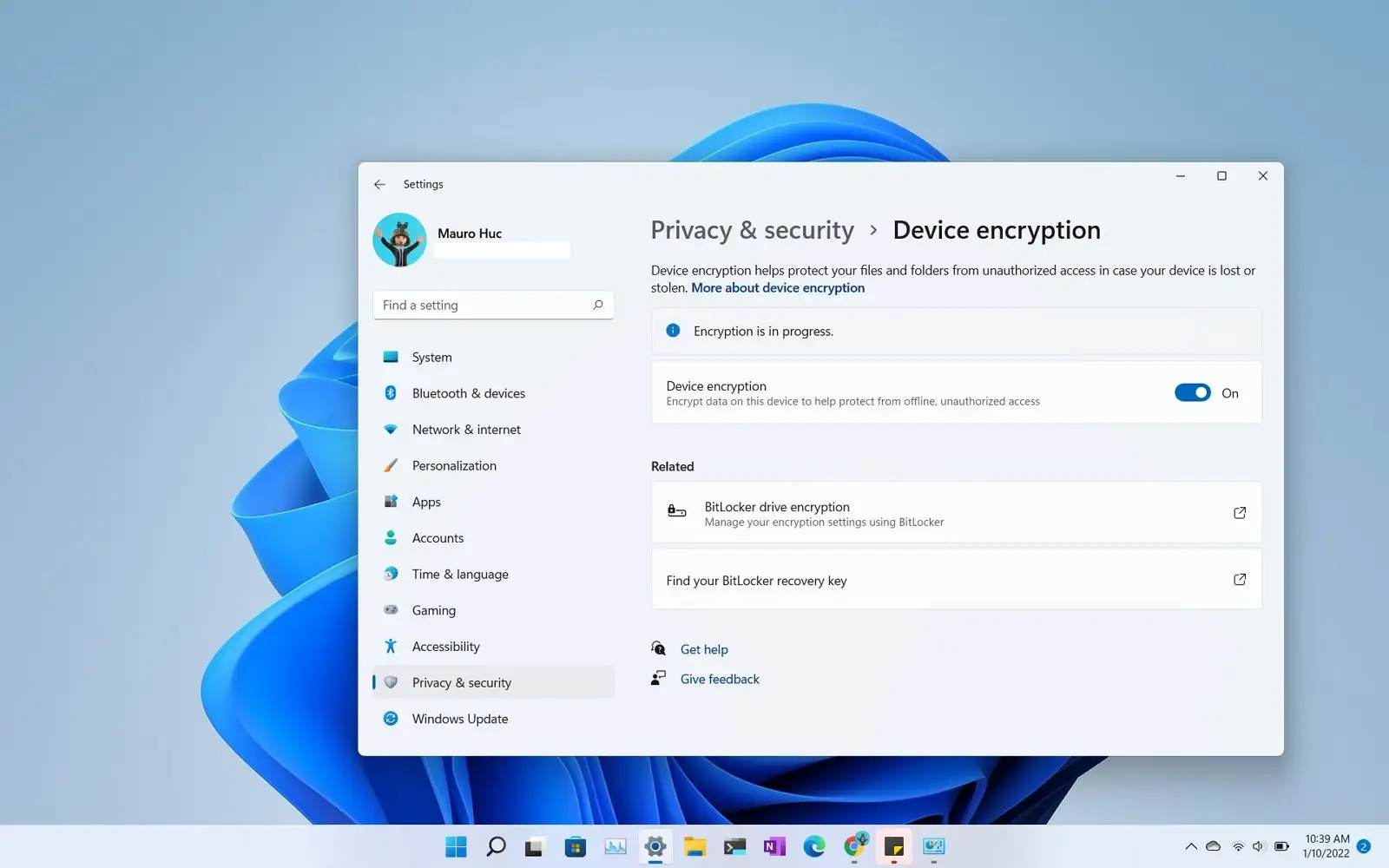

Additional features
- BitLocker drive encryption
- Remote Desktop
- Group Policy management
- Hyper-V virtualization
- Advanced device management
Who is it for?
- Professionals
- Small and medium businesses
- Freelancers
- Advanced users
Windows 11 Enterprise
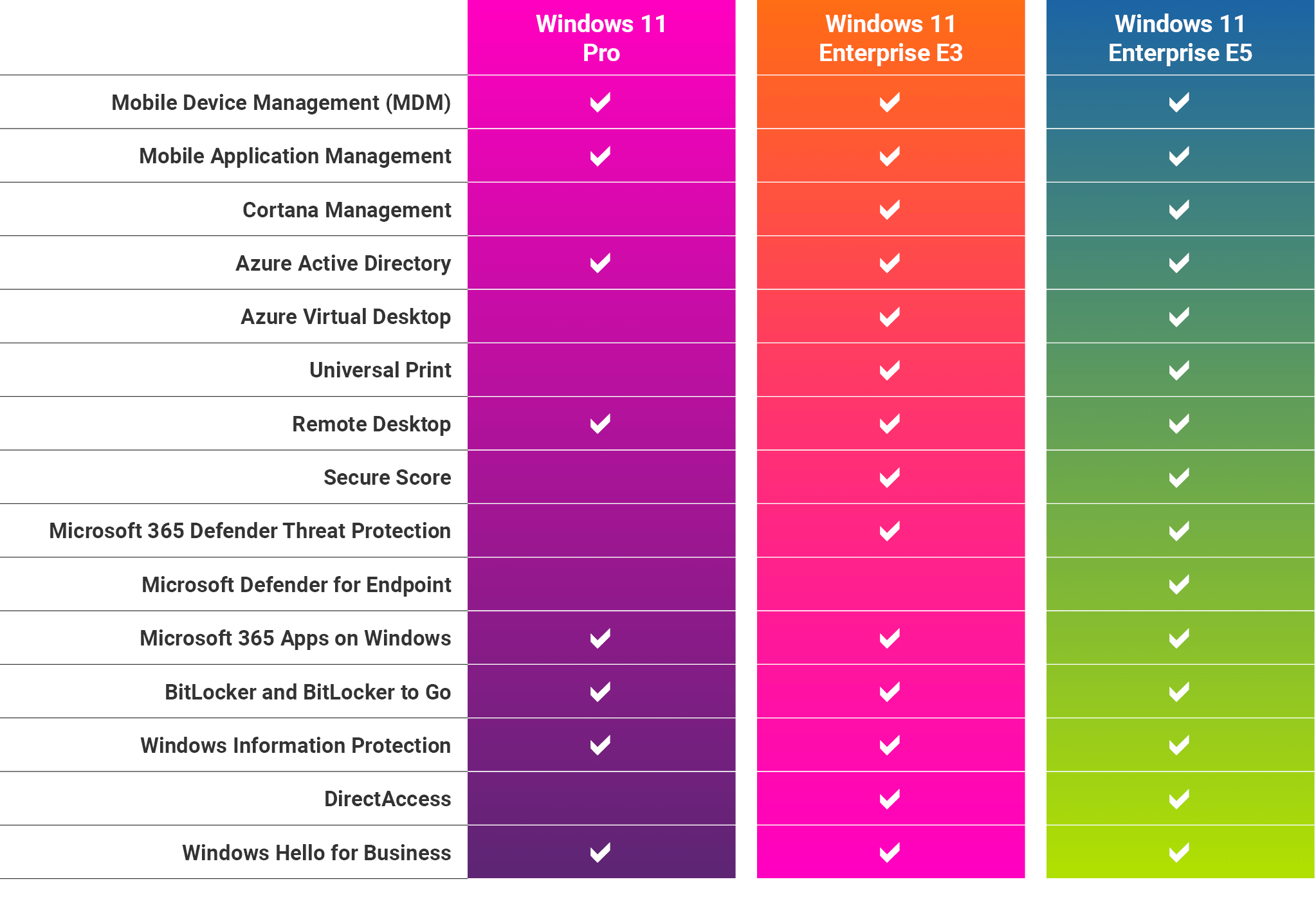
Main characteristics
- Enterprise-grade security
- Centralized device management
- Advanced data protection
- Full administrative control
Windows 11 Education


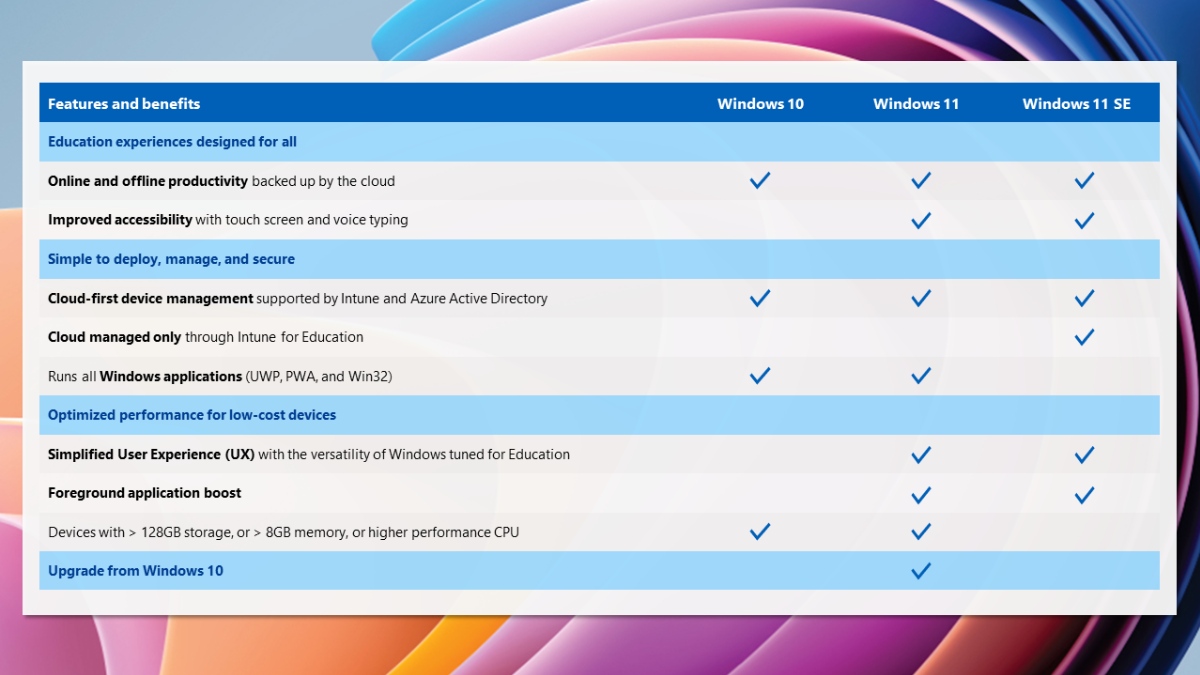
Who is it for?
- Students
- Schools and universities
- Training centers
Windows 11 License Types
In addition to the version, it is important to understand the different license types available.Retail License
- Can be transferred to another PC
- Recommended for personal users
- Easy online activation
OEM License
- Tied to a single device
- Not transferable
- Usually more affordable
Phone Activation License
- Activation via phone
- Legal and permanent
- Often the most cost-effective option
Which Windows 11 version should you choose?
- Home use and gaming: Windows 11 Home
- Professional work and business: Windows 11 Pro
- Large organizations: Windows 11 Enterprise
- Education and students: Windows 11 Education
Conclusion
Windows 11 is a single operating system available in multiple versions designed for different types of users. Understanding the differences between them allows you to make an informed decision and choose the most suitable option. By selecting the right version and license type, you ensure long-term stability, security, and value from your Windows 11 installation.More posts
Product info
Windows 11 Home vs Pro: The Real Differences and Which to Buy
Product infoWardogs: which edition and format to buy, and why some copies cost half
Product infoPikmin 3 Deluxe gets a free Switch 2 update: which version to buy
Product infoFor Honor stops working on Steam Deck and Linux on September 10
What do you think? Share your take on this post below with other players.

 Italiano
 English
 Español
 Português
 Deutsch
 Français